

In your company, «remote work» gets used for almost anything. For the sales rep who spends the day on the road with a laptop, for the person who stays home on a Friday because their child has a fever, and for the developer who shows up at the office once a month. All three work outside the workplace, true. But only one of the three fits what Law 10/2021 calls teleworking, and that difference isn’t a lawyer’s technicality: it decides whether you need to sign an agreement with them, pay for their internet, and log their working hours.
Knowing precisely what remote work is matters because the law sets a specific threshold, 30% of the working day over a three-month reference period. Below that, you have occasional remote work, with different rules. Above it, you enter a regime with a mandatory written agreement, an equipment inventory, expense compensation, and time tracking. And quite a few companies have spent two years in the second scenario convinced they were in the first.
Here’s the definition the law uses and the one used in everyday speech, what remote work involves in the day-to-day of a team, what sets it apart from distance work and remote employment, what forms it takes, what Spanish regulations require of you, and how clocking in works when nobody sets foot in the office. Also the real advantages and drawbacks, without the brochure version.
What is remote work? Definition and concept
Teleworking is distance work carried out through the exclusive or predominant use of computer, telematic, and telecommunications tools and systems. That’s the literal definition from Article 2 of Law 10/2021, and the word that decides everything is «predominant»: if the activity depends on the computer, the internet connection, and digital tools, it’s teleworking.
The dictionary sums it up more briefly: work carried out remotely using telecommunications networks. That’s fine for explaining the concept of remote work in two lines, but it falls short for a company, because it says nothing about how much of the workday is required or what obligations kick in once you cross that threshold.
To telework, the verb, is to do exactly that: carry out your job from home or from wherever you choose, while connected. And here’s the trap that almost every agreement template out there falls into: not all work done outside the office is teleworking. A technician who repairs installations at customers’ homes works outside the workplace, but doesn’t telework, because their work doesn’t rely on telematic tools. They do distance work, which is a different thing.

What does remote work involve and how does it work day to day?
It means a person does the same tasks, under the same working conditions and the same workday they’d have in the office, but from home or wherever they’ve chosen, with their hours logged and an availability window agreed in writing. The change isn’t the what, it’s the where and how coordination happens.
A normal day for a team that teleworks well looks something like this: the person clocks in at the start from the same app they’d use at reception, there’s a short team video call first thing to divide up the day, the rest of the coordination happens in writing on the team’s channel, and work is evaluated by what gets done rather than by how long the status icon stays green. Tasks that require focus get done during flexible hours; those that need several people at once fall within the mandatory availability window.
What makes it work, more than the tools, is having those rules written down. When they aren’t, everyone makes up their own, and the manager ends up measuring who’s logged in, because that’s the only thing they can see. Remote work doesn’t fail for lack of software, it fails for lack of explicit agreements.
What is a remote work system, and what tools make it up?
A remote work system is the set of tools and rules that lets a team work remotely without losing coordination or control over working hours. It has four layers, and none of them is optional: communication (messaging and video calls), shared work (documents and a task manager), secure access to company systems (VPN, identities, backups), and management of working hours and space.
That last layer is the one almost everyone forgets about until the first inspection arrives, and it’s exactly the one that turns remote work into something manageable: time tracking, hours control, and visibility into who’s where. Without it you have people working from home, but you don’t have a system.
What’s the difference between teleworking, distance work, and remote work?
Distance work is the genus and teleworking is the species. The law defines distance work as activity carried out at the person’s home or wherever they choose, for all or part of the working day, on a regular basis. When that distance work is also done exclusively or predominantly through telematic tools, it’s called teleworking.
«Remote work» doesn’t appear in the law. It’s the colloquial term, the one used in job postings and internal conversations, and it carries no legal consequence on its own. You can use it in conversation, but not when drafting an agreement: there you need to write distance work or teleworking, depending on what the person actually does.
| Distance work | Teleworking | Remote work | |
| What it is | Legal category (Law 10/2021). The genus. | Legal category. A type of distance work. | Colloquial term, no legal definition. |
| Where you work | Home or a place chosen by the person. | Same, but connected to company systems. | Anywhere that isn’t the office. |
| Tools used | Not necessarily digital. | Exclusive or predominant use of telematic tools. | Undefined. |
| Example | Technician repairing at a customer’s home. | Analyst working from home with a laptop. | Either of the two, in everyday language. |
The distinction matters more than it seems once you apply it to specific cases, and we cover it in depth in the article on the difference between teleworking and distance work.
What types of remote work are there?
There are five arrangements that come up throughout the literature and in collective agreements, and they’re distinguished by how much of the workday is done outside the office and from where:
- Full-time remote work. The person doesn’t come into the workplace except in exceptional cases. It allows the most office savings and demands the most in terms of culture and written communication.
- Hybrid remote work. The week is split between in-office days and days at home. It’s the majority model in Spain and the most complex to manage, because it requires knowing who’s coming in on which day and having room for everyone.
- Mobile or itinerant remote work. The role isn’t tied to a fixed location: sales reps, consultants, technical profiles who travel. Here, time tracking is what gets trickiest.
- Coworking or telecenter-based remote work. The person doesn’t work from home, but from a shared space that the company sometimes pays for. Useful when the home doesn’t meet the right conditions.
- Occasional remote work. Individual days off-site for a specific need. Watch out, though: if it becomes routine and exceeds 30% of the workday over three months, it stops being occasional for legal purposes.
Each arrangement changes the cost, the culture, and how space is managed, and we compare them one by one in the article on types of remote work. If yours is the hybrid model, the hybrid work guide goes deep into how to implement it.
What does the law say about remote work in Spain?
The regulation is Law 10/2021, of July 9, on distance work. Many people search for it as the «royal decree on remote work» because it grew out of Royal Decree-Law 28/2020, which preceded it during the pandemic, but the law currently in force is Law 10/2021. Here are the obligations that affect you directly if you have people teleworking on a regular basis.
It’s voluntary for both parties and reversible. You can’t impose it through a substantial change to working conditions, and you can’t withdraw it overnight either: the notice periods for returning to in-office work are set out in the agreement or the collective bargaining agreement.
You need a written agreement before starting, and the law sets its minimum content at twelve points. Among them: an inventory of equipment and tools along with their useful life, a list of expenses and how they’re compensated, working hours and availability rules, the split between in-office and remote work, the workplace of assignment, the means of company monitoring, and instructions on data protection and IT security.
The company provides the equipment, and the worker cannot bear the costs. Article 12 is explicit: the costs of distance work must be covered or compensated by the company. That includes equipment, and depending on what’s agreed, a proportional share of connectivity and utilities.
There’s equal treatment in pay, job stability, working time, training, and promotion. And one detail almost nobody accounts for: for contracts with minors and for training or internship contracts, only an agreement guaranteeing at least 50% in-person work is allowed. If you have interns teleworking four days a week, you have a problem. Public sector staff, however, are excluded, as they’re governed by their own specific regulations.
The full detail, article by article, is in the guide to Spain’s remote work law.
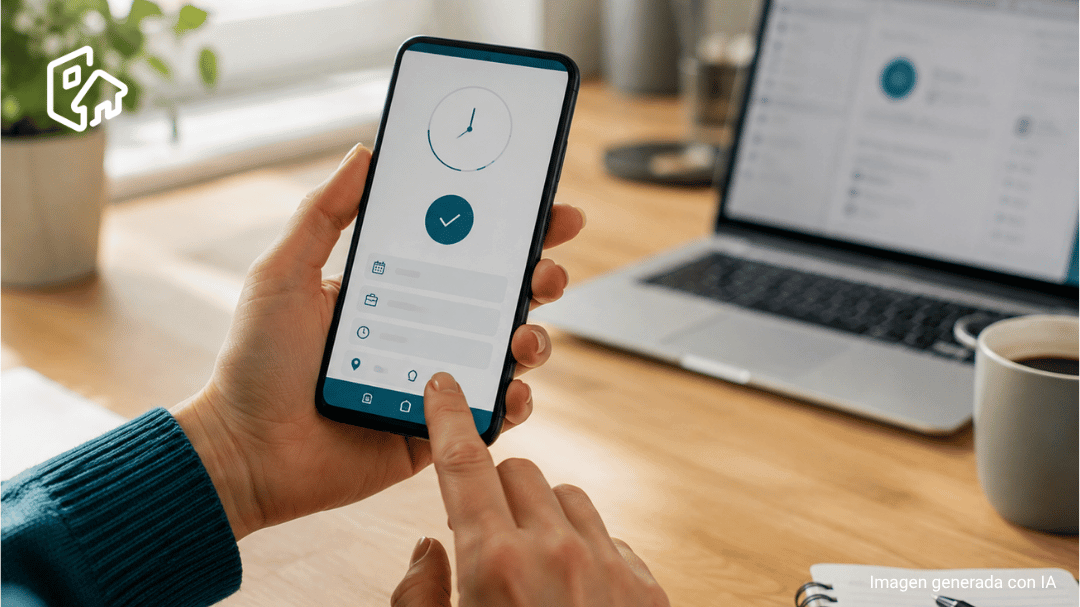
How do you clock in and track working hours when teleworking?
You clock in the same way as in the office, and it’s mandatory. Article 14 requires a record that faithfully reflects the time a person spends on work activity, and it makes no exception for working from home. What the law does allow, under Article 13, is flexibility in scheduling within the mandatory availability windows you’ve agreed on.
In practice, the record has to capture the start and end of the workday and any breaks, and the person needs to be able to clock in from wherever they are, not from a physical terminal. A shared spreadsheet works on paper and falls apart at the first real test: nobody fills it in on time, and it won’t hold up to an inspection. With a tool like Hybo, the person clocks in from their phone or browser and the record is locked in. The details of how clocking in works and what time-tracking regulations require are in the guide to clocking in at work.
What are the advantages and disadvantages of remote work?
On the plus side, what stands out most is access to talent you couldn’t previously hire due to location, and savings on square meters when the hybrid model is real rather than nominal. For the person, it gives back commuting time, which in a big city easily adds up to ten hours a month, and it provides a work-life balance that an office schedule can’t. Individual productivity tends to rise for tasks that require focus.
On the downside, collaboration suffers when people never overlap, and the line between work hours and personal life blurs until someone writes it down. The most costly risk isn’t that people work less, it’s that they work more without it being visible, and from there to burnout it’s a short distance: we cover that in the article on burnout and remote work. Add to that the risk assessment of the home workstation and data protection outside the company network, which remain your obligations even when the computer is in someone else’s living room. The full breakdown, split between company and employee, is in the dedicated article.
How does Hybo help you organize your team’s remote and hybrid work?
Hybo covers the layer almost no team has figured out: knowing who’s working where each day, with hours logged without having to chase anyone down. Clocking in and time tracking work from the phone or browser, so the person clocks in whether they’re at home, in the office, or at a coworking space, and you get a closed, traceable time record.
And when the model is hybrid, the space problem shows up: if half the team comes in on Tuesdays, you need to know that before Tuesday. With desk and room booking, each person reserves their spot on the days they’re coming in, you see actual occupancy, and you decide, with data, how many square meters you need.