


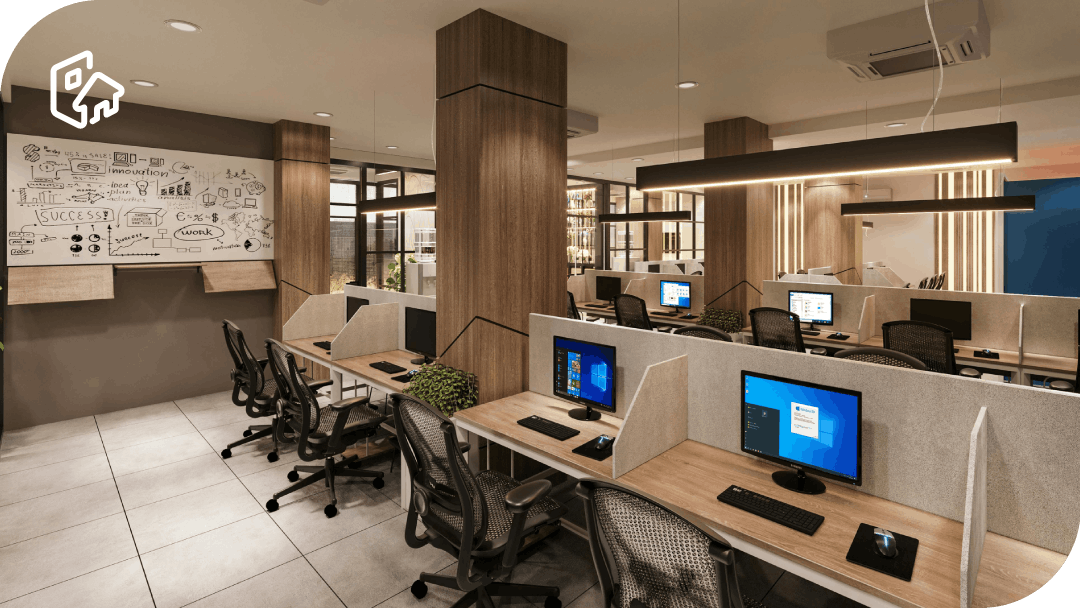
Hot desk booking is the practical way to organise a hybrid office: it turns variable attendance into a predictable process where everyone knows when they are going, where they will sit and what resources they will have. This avoids the typical pattern of poorly managed hybrid working: peaks in occupancy, searching for a place to sit, interruptions and improvised decisions that start five minutes after arriving.
A desk reservation system is not just ‘for sitting down’. It is a management layer that allows you to balance experience and cost: if you know which areas are used, which days are busy and which resources are in highest demand, you can adjust the layout, services and capacity accordingly. Without reservations, many offices are driven by perceptions (‘it’s always full’, ‘there’s plenty of space here’) that are often contradictory.
The key is to make booking easier than asking. If the flow is slow or confusing, people revert to shortcuts: ‘I’ll save it,’ ‘I always sit here,’ ‘I’ll arrive early to get a seat.’ That’s why implementing hot desk booking means designing a process: a clear map, simple rules and a consistent experience.
This guide provides a straightforward approach to implementing hot desk booking with Hybo in mind: what problems it solves, how it works, what a robust system should include, differences between models (hoteling/hot desking/desk booking), an implementation checklist, and an example workflow for booking seats and measuring occupancy.
What is hot desk booking and what problems does it solve?
Hot desk booking allows for the sharing of unassigned desks: the user chooses the day (and, if applicable, the time slot), selects an available seat, and the system blocks it for that period. The difference between this and ‘sitting wherever there is space’ is that here there is real and visible availability, not assumptions. This makes the flexible model work when demand grows or when teams need to coordinate their presence.
The first problem it solves is the chaos of arrival: people looking for a place, interruptions, ‘reserved’ seats with objects on them, and arguments over habits (‘I sit here’). With reservations, the criteria are objective and reduce friction. The office feels organised because there is a system that decides, not an informal negotiation every morning.
The second problem is space inefficiency. In a hybrid model, attendance is concentrated on specific days and changes seasonally. With a reservation system, you can measure demand by day, area and team, and detect real bottlenecks: lack of seats on one floor, excess on another, insufficient equipment or poorly defined neighbourhoods.
The third is the management of resources and rules: workstations with monitors, quiet areas, accessible workstations, restricted areas or areas prioritised by team. A good system avoids this being managed ‘by hand’ and allows consistent policies to be applied without slowing down the user. It also improves service planning (cleaning, energy, reception) because you know what usage is expected.
How hot desk booking works
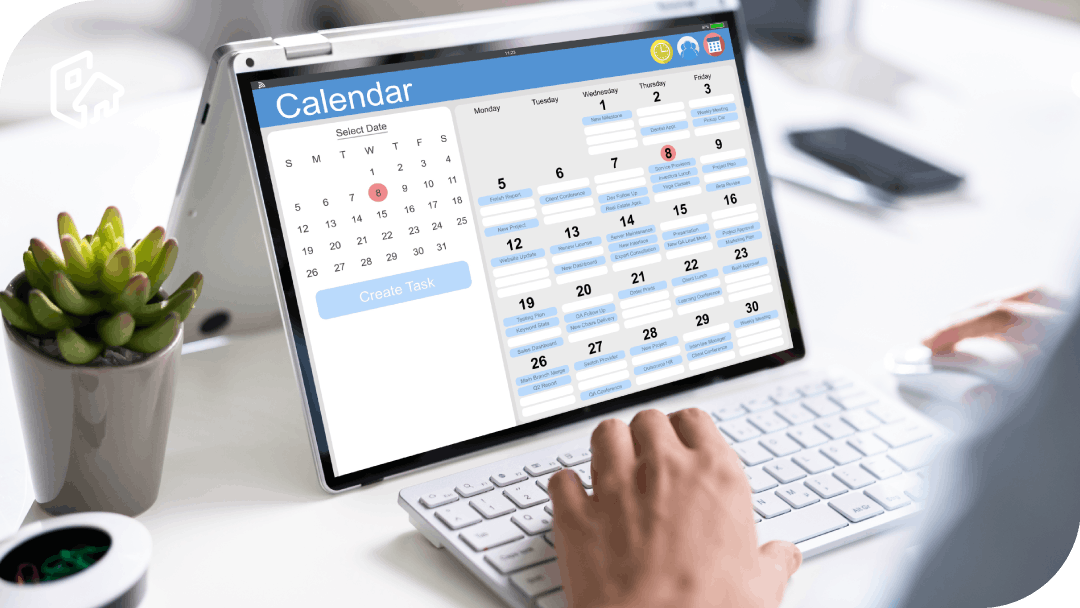
The ideal flow is simple: the user enters the app/website, selects the location/floor, chooses the date (and, if applicable, the time), filters by requirements (equipment, area, accessibility) and makes a reservation from a map or a list. The confirmation blocks that spot and the rest see the updated availability. If it is well designed, it takes the user seconds and no instructions are needed.
The system is based on rules: maximum advance booking, duration, limits per user, cancellation, maintenance blocks, and profile permissions. This prevents abuse and ensures fair use. For example, you can limit long bookings, reserve by team neighbourhoods, or prevent specific areas from being booked without permission.
To maintain a consistent experience, a simple mechanism for validating attendance or confirming arrival is often included when the office is in high demand. There is no need to make it a cumbersome process: the aim is for availability to reflect reality and for there to be no workstations blocked by mistake or last-minute changes.
Finally, administration and analytics: registration of spaces, areas, equipment, policies, and reports. With directory (SSO) and calendar integration, booking is integrated into the employee’s daily routine. And with occupancy forecast dashboards, you can anticipate saturation and decide on actions before the problem occurs.
What should a hot desk booking system have?
First, speed and clarity: visual map, filters by equipment, search engine by location/floor/area, favourites and reservations in just a few clicks. Adoption depends on this. If booking seems bureaucratic, the system remains ‘something that has to be done’ and loses value.
Second, configurable rules aligned with operations: limits, booking windows, cancellation policies, priorities for teams and areas with different behaviours (silence/collaboration/visits). Important: allow bookings close to the team or within a neighbourhood, because in a hybrid model, the real need is to ‘sit close’ rather than ‘any table’.
Third, resource management: workstations with specific equipment, accessibility requirements, ergonomics, restricted areas, and incident support (broken workstation, monitor without cable, etc.). A system that does not take into account real office incidents generates frustration even if the ‘software’ is good.
Fourth, actionable metrics: occupancy by day/hour, demand by area, equipment usage, and trends by team. The goal is to decide: redistribute workstations, balance areas, adjust services, or redesign the layout. If you can’t answer ‘which floor is saturated and why,’ you’re flying blind.
Hoteling vs hot desking vs desk booking: differences and when to use each model
Hot desking is the concept of unassigned workstations; people sit wherever there is space. It works well with low occupancy and high capacity, because the cost of not finding a space is low. As soon as attendance increases, tensions arise and time is wasted.
Hoteling is booking in advance and respecting the temporary allocation of the workstation. It is ideal when there are peaks in demand, teams coordinating their presence, or limited resources (equipment, specific areas). It is also the easiest model to manage when you want weekly planning.
Desk booking is the system that implements one or the other: it can be flexible (optional reservations) or more strict (reservations required with policies). Many companies ‘believe’ they are doing hot desking, but in reality they need desk booking for the model to be sustainable without friction.
When to use each one: hot desking if the office is rarely full and there are no critical resources; hoteling if demand is high or you need to secure areas and equipment; desk booking whenever you want order, operational traceability and data-based adjustability.
Implementation in a hybrid office: 7-step checklist
- Define the objective and indicator: experience (less time searching for space), efficiency (more useful occupancy), or space optimisation (adjustment of workstations). If you do not define this, you will not know which rules to apply or what to measure.
- Inventory and zoning: list of positions, equipment per desk, areas, restrictions, and neighbourhoods per team. The map must reflect reality; otherwise, users lose confidence and stop booking ‘well’.
- Decide on the booking unit: full day or slots, and advance booking policy. In hybrid mode, full days usually simplify things; slots are useful if there is high turnover or shifts.
- Define simple rules: limits per user, cancellation, maintenance, and criteria for prioritised areas. Avoid complex policies: if you need to explain them in a long meeting, they will be difficult to comply with.
- Configure roles and permissions: employees, managers, facility. Decide what each profile can book and how exceptions are managed without chaos.
- Controlled pilot: 1 plant or 1–2 teams, with a single support channel and weekly review. Adjusts map, rules, and communication according to actual incidents.
- Scale and review with data: analyse peak days, congested areas and equipment demand. Adjust layout, policies and capacity iteratively.

Practical example with Hybo: recommended workflow for reserving seats and measuring occupancy
At Hybo, the recommended workflow starts with a clean configuration: locations, floors, areas and stations with consistent names, and a map where you can see at a glance what can be booked. Then, the user logs in, chooses a date and location, filters by need (team area, monitor, quiet) and confirms. To speed up adoption, it is key to allow favourites and ensure that the process does not have unnecessary steps.
For offices with high demand, the system should help keep availability in line with reality: reminders, quick cancellation, and a simple mechanism to confirm arrival if necessary. The goal is not to ‘control’ but to prevent workstations from being blocked by last-minute changes and to ensure a reliable experience for those who book.
At the management level, Hybo is used to anticipate saturation: expected occupancy per day, use by area, and behaviour by team. With this, Facilities can make operational decisions (services, cleaning, energy) and space decisions (reorganise neighbourhoods, move equipment where it is used, convert underused areas into collaboration spaces).
The recommended measurement for the data to be useful is specific: occupancy by days/hours, demand by zone, equipment usage, and trends by team. With these indicators, Hybo ceases to be ‘a booking app’ and becomes a tool for managing hybrid work: it improves the experience, reduces friction, and allows you to adjust the office with discretion.